New to Scout Assess?
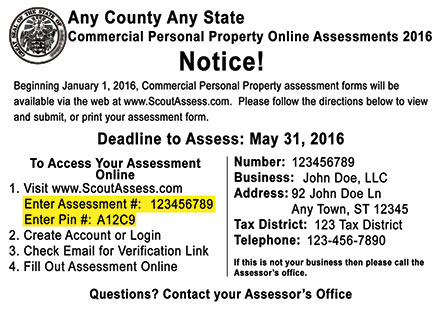
The process is simple: create, claim, complete and submit! The numbered circles will help guide you through the online process, turning green as you complete each step.1Create Account
- Creating a new account is easy and free. We will send an email to verify your account and then you are ready to begin claiming your assessment(s).
- Start Here and Create Your Account
- Once you've created your account, locate your assessment number and PIN on the back of your postcard. If you do not know your PIN, please contact your assessor's office.
- Once claimed, you will be able to complete your assessment. Our step-by-step system will guide your through the assessment process and allow you to easily submit your digital assessment(s) to your assessor.
- Easily review your assessment before filing electronically.